IGNOU Grievance 2026 is an important topic for students who are facing problems related to admission, registration, assignment marks, examination results, grade cards, study materials, identity cards, or other university services. Indira Gandhi National Open University (IGNOU) provides an online grievance redressal system that allows registered students to submit complaints and follow up on their issues.
If you have submitted an assignment but the marks are not showing, your admission status is unclear, your grade card contains missing information, or you are experiencing another student service problem, you can use the university’s official grievance portal to raise your concern.
The portal is known as IGNOU Grievance Redress and Management (iGRAM). It is designed to help students communicate their problems to the university and seek appropriate assistance. Students should provide accurate information, describe their issues clearly, and keep a record of their grievance details for future reference.
This article explains how to register an IGNOU grievance online, check the response status, prepare supporting documents, follow up on unresolved complaints, and find important official links.
IGNOU Grievance 2026: Overview
The following table contains the main information students should know before submitting a complaint.
| Particulars | Details |
|---|---|
| University | Indira Gandhi National Open University |
| Popular name | IGNOU |
| Grievance system | IGNOU Grievance Redress and Management |
| Portal name | iGRAM |
| Official grievance portal | https://igram.ignou.ac.in/ |
| Main purpose | Submit student complaints and seek resolution |
| Eligible users | Registered IGNOU students, according to portal instructions |
| Complaint categories | Select the relevant category available on the portal |
| Common issues | Admission, assignments, examinations, grade cards, ID cards and student services |
| Status checking | Use the Track Grievance Response Status option |
| Official university website | https://www.ignou.ac.in/ |
| Support email shown by iGRAM | ssc@ignou.ac.in |
| Important recommendation | Save your grievance reference and supporting documents |
The categories and available options may change as the university updates its portal. Always follow the instructions displayed on the official website.
What Is the IGNOU Grievance Portal?
The IGNOU grievance portal is an online facility for students who need assistance with university-related problems. It provides a channel for communicating concerns to the university’s student support and grievance redressal system.
Students may need to raise a grievance when they cannot resolve an issue through the usual student service channels. For example, an assignment may have been submitted but the marks have not appeared, an admission record may require clarification, or a student may be unable to obtain an expected academic document.
The iGRAM portal allows students to select a grievance category, choose a subject, enter details about the problem, and submit their complaint. The portal also provides an option to track grievance response status.
Submitting a grievance does not guarantee an immediate response or a particular outcome. The time needed to address a complaint depends on the issue, the records involved, and the office responsible for handling it.
Important Reasons to Submit an IGNOU Grievance
Students may encounter different problems during admission, study, examinations, or completion of their programmes. The grievance portal can help direct eligible complaints to the appropriate university process.
1. IGNOU Admission Problems
Students may have questions about admission confirmation, registration details, enrolment numbers, or discrepancies in their admission records.
Before submitting a complaint, check your admission status and review any confirmation messages or receipts. If the information remains incorrect or unresolved, explain the issue through the appropriate grievance category.
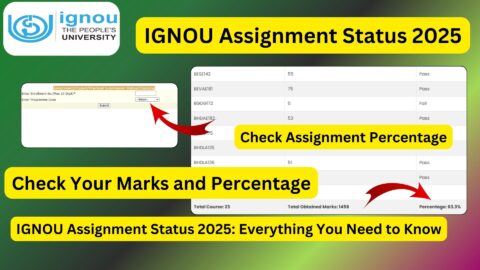
2. IGNOU Assignment Marks Not Updated
Assignment marks may not appear immediately after submission because evaluation and record updates can take time.
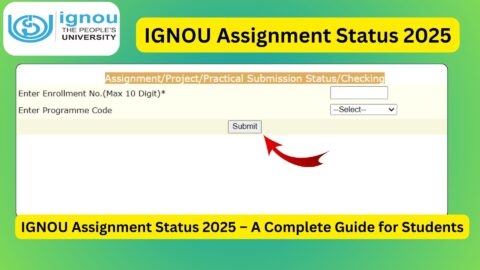
If the marks remain missing, check the relevant assignment status and retain your submission acknowledgement. Include the course code, submission date, and other relevant details in your grievance.
3. IGNOU Grade Card Errors
Students may discover missing marks, incorrect entries, or an unexpected course status on their grade card.
Check the relevant examination result and assignment information first. If the discrepancy continues, explain which course and assessment component are affected.
4. IGNOU Examination Result Problems
A student may have questions about an examination result, missing marks, practical assessments, or another examination-related record.
Use the relevant official result service to verify the information before raising a complaint. Provide the examination session and course details when they are relevant to the issue.
5. IGNOU ID Card or Student Document Issues
Students may need help with an unavailable identity card, a correction to personal details, or another student document.
Check the student portal and admission information first. If the issue remains unresolved, contact the appropriate student support office or submit a grievance using the category that best matches the problem.
6. Study Material or Other Student Service Issues
Other concerns may involve study materials, re-registration, certificates, project records, or access to student services.
The correct office may differ depending on the issue. Choose the relevant category and explain what you have already done to resolve the problem.
How to Register an IGNOU Grievance Online in 2026?
Follow the steps below to submit a grievance through the official iGRAM portal.
Step 1: Visit the Official IGNOU Grievance Website
Open the official portal:
Check the address carefully to make sure you are using the university’s grievance service.
Step 2: Select New Query / Grievance
On the portal, locate the New Query / Grievance option.
Select this option to begin the complaint process. The portal is intended for registered IGNOU students, so follow any eligibility or registration instructions displayed on the page.
Step 3: Select the Grievance Category
Choose the category that most closely matches your problem.
For example, if the issue concerns assignment marks, select the relevant assignment-related category if it is available. If your complaint concerns admission or examination records, choose the appropriate option shown on the portal.
Selecting the correct category helps communicate the nature of your problem more clearly.
Step 4: Select the Subject
Choose the relevant subject from the available list.
Read the options carefully. If your exact issue is not listed, select the closest suitable category and explain the specific problem in the description field.
Step 5: Click Next and Enter the Grievance Details
Proceed to the next step and provide the information requested by the portal.
Your description should explain the problem clearly and include relevant details, such as:
- Your enrolment number, where requested.
- Your programme name or code.
- The course code, if the issue concerns a particular course.
- The relevant examination session or admission cycle.
- The date of submission or transaction, where applicable.
- The steps you have already taken to resolve the issue.
Avoid entering unrelated information. A concise, factual description makes it easier for the responsible office to understand the complaint.
Step 6: Attach Supporting Documents if Requested
If the portal allows or requires attachments, provide relevant supporting documents.
Depending on the issue, these may include an assignment submission receipt, admission confirmation, fee payment receipt, screenshot of a grade card entry, or previous correspondence with the university.
Make sure that the files are readable and relevant. Do not upload unrelated documents or share unnecessary personal information.
Step 7: Review and Submit the Grievance
Before submitting, check the details carefully.
Confirm that the programme, course code, description, and supporting documents are correct. Then submit the grievance according to the portal’s instructions.
Step 8: Save the Grievance Reference
After submission, save any grievance reference number, acknowledgement, or confirmation displayed by the portal.
Keep this information with your supporting documents. You may need it to track the response or follow up if the problem remains unresolved.
How to Check IGNOU Grievance Status 2026?
After submitting a complaint, students can use the portal’s response-status tracking option to check available updates.
Follow these steps:
- Open https://igram.ignou.ac.in/.
- Find the Track Grievance Response Status option.
- Enter the requested grievance or identification details.
- Submit the information as instructed.
- Review the status or response displayed by the portal.
- Save any relevant response or reference information for future use.
The exact details requested for tracking may depend on the current portal interface. Follow the instructions shown on the website.
If the portal does not display a response, check that the details you entered are correct. You can also try again later if the service is temporarily unavailable.
What Should You Do If Your IGNOU Grievance Is Not Resolved?
Some issues require examination of records or coordination between different university offices. If your grievance remains unresolved, take a systematic approach rather than submitting repeated complaints with incomplete information.
Step 1: Review the Existing Response
Check whether the university has provided a response or requested additional information.
If the response asks for a document or clarification, provide it through the appropriate channel.
Step 2: Check Your Supporting Records
Review your admission confirmation, assignment receipt, examination details, payment records, or other documents relevant to the complaint.
Make sure the information in your grievance matches the university records.
Step 3: Contact the Relevant Student Support Office
The correct office depends on the issue. A complaint about assignment awards may need different handling from one involving admission, examination results, or a student identity card.
Use the current contact details published on the official IGNOU website or grievance portal.
Step 4: Follow Up Using Your Reference Details
When following up, include the existing grievance reference where appropriate and explain what remains unresolved.
A clear follow-up should identify the original complaint, mention any response received, and state the action or clarification you are requesting.
Step 5: Consider the Government Public Grievance Portal Where Appropriate
If the issue remains unresolved through the university’s normal grievance process, students may review the Government of India’s public grievance mechanism at https://pgportal.gov.in/.
Before using another grievance channel, read its eligibility rules and instructions. It may not be suitable for every type of academic or administrative complaint.
Important Links for IGNOU Grievance 2026
The following table lists useful links for submitting grievances, checking academic information, and contacting relevant student services.
| Purpose | Important Link |
|---|---|
| IGNOU Grievance Portal (iGRAM) | https://igram.ignou.ac.in/ |
| IGNOU Official Website | https://www.ignou.ac.in/ |
| IGNOU Student Services | https://www.ignou.ac.in/pages/65 |
| IGNOU Student Service Centre | https://www.ignou.ac.in/pages/196 |
| Government Public Grievance Portal | https://pgportal.gov.in/ |
| IGNOU Student Portal | https://ignou.samarth.edu.in/ |
| IGNOU Grade Card | https://gradecard.ignou.ac.in/ |
| IGNOU Assignment Status | https://isms.ignou.ac.in/changeadmdata/StatusAssignment.asp |
| IGNOU Admission Status | https://isms.ignou.ac.in/changeadmdata/AdmissionStatusNew.ASP |
| IGNOU Term-End Examination Results | https://termendresult.ignou.ac.in/ |
| IGNOU Assignment Question Papers | https://webservices.ignou.ac.in/assignments/ |
| IGNOU Study Materials | https://egyankosh.ac.in/ |
These links serve different purposes. Use iGRAM to submit or track a grievance, the grade card portal to review available academic marks, and the relevant assignment or examination service to verify records before raising a complaint.
If a link is unavailable, navigate from the official IGNOU website rather than entering personal details on an unfamiliar website.
Tips for Submitting an Effective IGNOU Grievance
A well-prepared complaint can help the university understand the issue and identify the relevant records.
Explain one main issue clearly. If you have several unrelated problems, consider whether they should be submitted separately under the relevant categories.
Provide accurate information. Check your enrolment number, programme, course code, and relevant dates before submitting.
Include supporting evidence. Attach receipts, screenshots, or correspondence when they are relevant and requested.
Use respectful language. Describe what happened and what resolution you are seeking without using abusive or threatening language.
Keep a copy of everything. Save the complaint details, reference number, attachments, and any response you receive.
Avoid duplicate submissions. If you have already filed a complaint about the same issue, use the available tracking or follow-up process unless the university directs you otherwise.
Protect your personal information. Do not publish your enrolment number, payment information, or private academic documents on public social media pages.
FAQ about IGNOU Grievance 2026
What is the official IGNOU grievance portal?
The official IGNOU Grievance Redress and Management portal is https://igram.ignou.ac.in/. Registered students can use it to submit eligible complaints and access grievance response-status tracking.
Who can submit a grievance on iGRAM?
The portal states that only registered IGNOU students are allowed to submit grievances. Students should follow the eligibility and instructions displayed on the official website.
How can I submit an IGNOU grievance online?
Visit the iGRAM portal, select New Query / Grievance, choose the appropriate category and subject, enter the details of your problem, attach relevant documents if requested, and submit the complaint.
How can I check IGNOU grievance status?
Open the iGRAM portal and select Track Grievance Response Status. Enter the requested information and follow the instructions to view available updates.
Can I submit a grievance about missing assignment marks?
Yes, you can raise an appropriate grievance if your assignment marks remain missing or an issue cannot be resolved through the usual assignment support process. Check the relevant status first and keep your submission acknowledgement.
Can I complain about an IGNOU grade card error?
You can use the grievance system to seek assistance with an unresolved grade card discrepancy. Identify the course and assessment component affected and provide relevant supporting details.
What documents should I attach to an IGNOU grievance?
Depending on your issue, useful documents may include admission confirmation, assignment submission receipts, fee receipts, relevant grade card screenshots, examination details, or previous correspondence. Attach only documents that are relevant and requested.
How long does IGNOU take to resolve a grievance?
The resolution time can vary according to the nature of the issue, the office responsible, and the records that need to be checked. Use the official portal to track responses and follow up when appropriate.
What should I do if my grievance is not resolved?
Review any response, provide additional information if requested, and contact the relevant student support office. If appropriate, review the Government of India’s public grievance portal and its eligibility rules.
Can I submit a grievance without an enrolment number?
The iGRAM portal is intended for registered IGNOU students and may request identification details during submission. Follow the current portal instructions. If you cannot locate your enrolment number, contact IGNOU support for guidance.
Is there an email address for IGNOU grievance support?
The iGRAM portal lists ssc@ignou.ac.in for further information. Check the official website for current contact details and use the address appropriate to your issue.
Does submitting a grievance guarantee that my problem will be resolved immediately?
No. Submitting a grievance provides a formal channel for raising an issue, but the response and outcome depend on the facts of the case and the applicable university procedures.
Conclusion
The IGNOU grievance portal is a useful resource for students who need help with admission, assignment marks, examination results, grade cards, identity cards, and other university services. Through iGRAM, eligible students can submit a complaint, provide supporting information, and track the response status.
To begin, visit the official portal: https://igram.ignou.ac.in
Choose the appropriate grievance category, explain your problem clearly, provide relevant information, and save the acknowledgement or reference details. If your issue remains unresolved, review the available response and contact the relevant IGNOU student support office for further assistance.
Using the correct grievance channel and keeping accurate records can make it easier to follow up on your concern. Always rely on official IGNOU information for the latest procedures, contact details, and student service updates.